Protocols
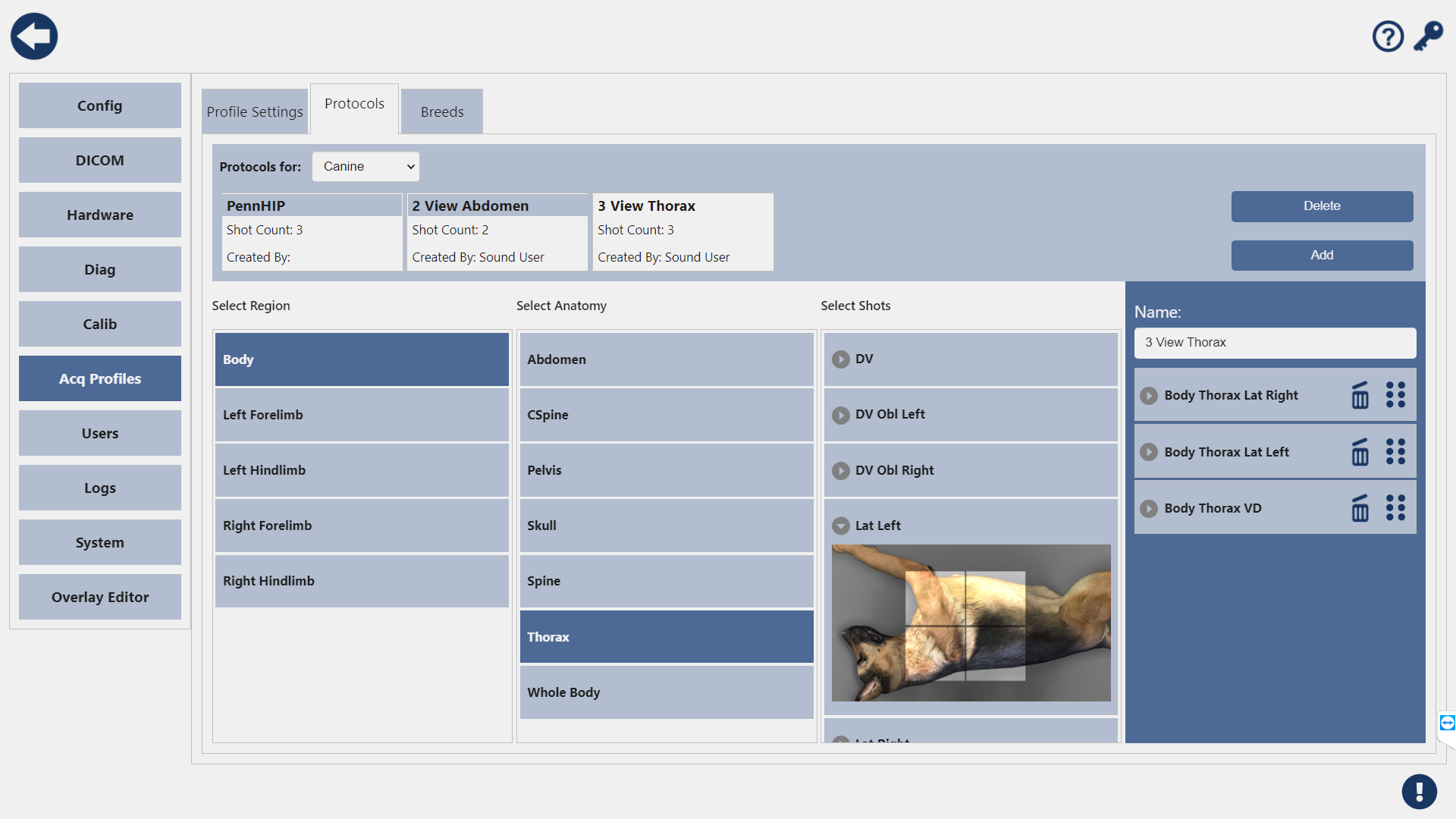
In addition to the shotlist screen, you can create and edit protocols in the settings menu.
Before you start building a new protocol, make sure you have the correct species selected in the dropdown at the top. Protocols are species specific.
Create a Protocol
To create a Protocol, press the Add button. This will create a new protocol. Select the Species for this protocol.
To add shots to the Protocol, select a Region, Anatomy, and Shot. The shot will be added to the Shot List.

To remove a shot, press the trashcan icon on the shot tile.
You can name your Protocol in the Name field above the Shot List.
You can re-order the shot list by long pressing and dragging the shot to the desired location.
Species cannot be changed once a shot has been added to the list. To change the species, remove all of the shots and the Species can be changed.
Edit a Protocol
To edit an existing protocol, select it from the list.
To add shots to the protocol, select a Region, Anatomy, and Shot. The shot will be added to the shot list.
To remove a shot, press the trashcan icon on the shot tile.
You can re-order the shot list by long pressing and dragging the shot to the desired location.
You can edit the name of the protocol.
Reordering the Protocol
To change the order of the shots, simply touch and hold on the desired view and drag it to the desired order in the shot list.