DICOM Queue
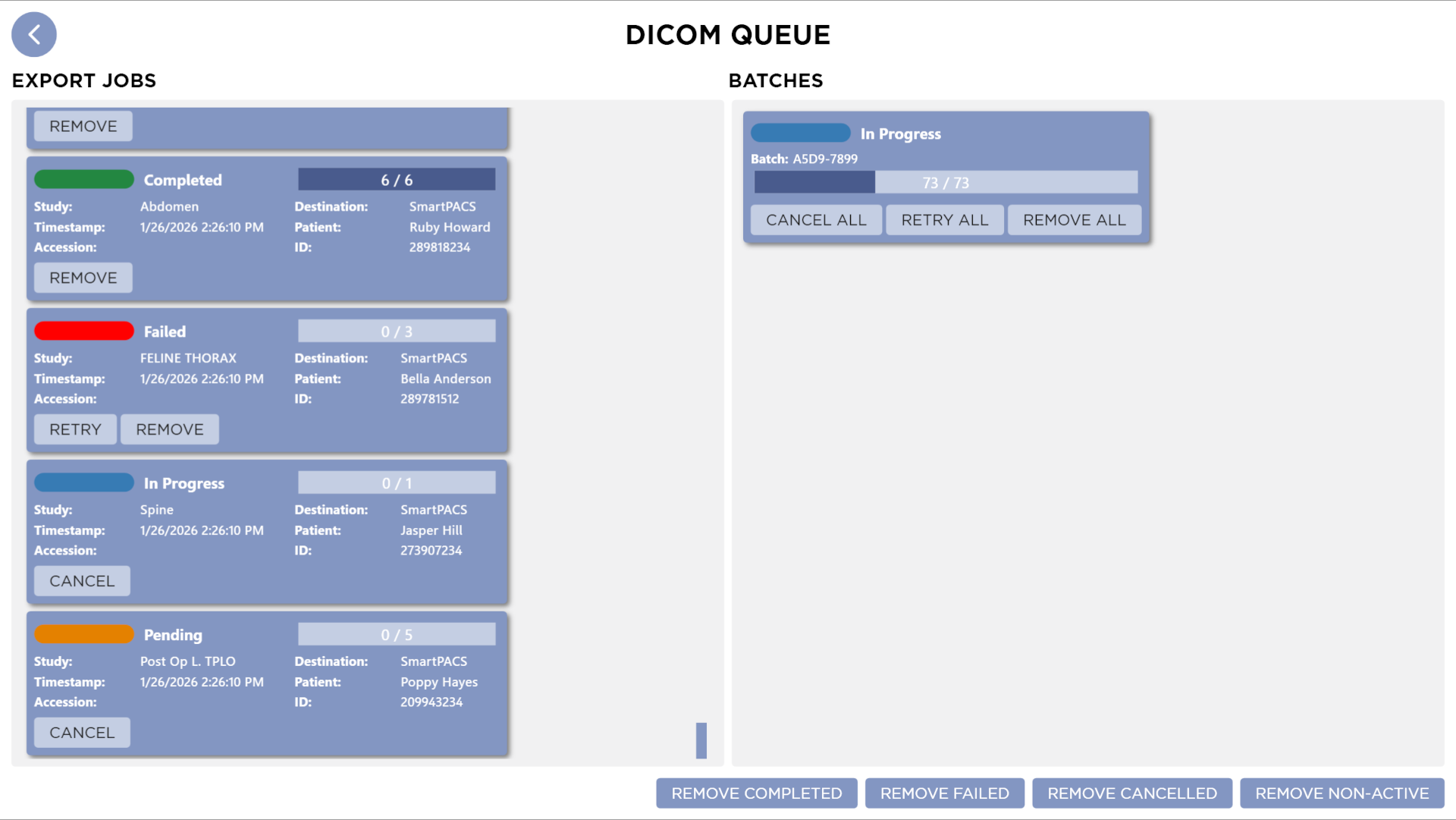
The DICOM Queue allows users to monitor and manage all DICOM send operations, providing visibility into the status of each job and batch. You can also perform actions such as cancelling, retrying, or removing jobs and batches.
Export Jobs
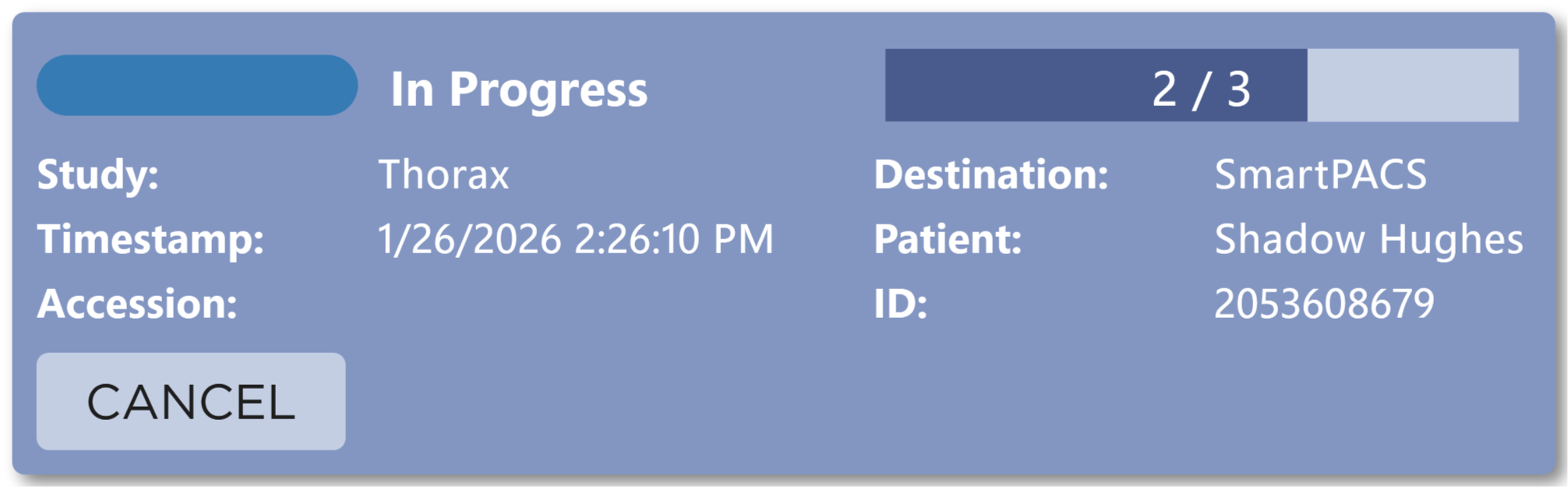
Each DICOM send is represented as an Export Job card. Each card contains the following information:
- Patient
- Patient ID
- Accession Number
- Study
- Destination
- Status
- Progress Bar (indicates the number of images sent out of the total number of images)
- Timestamp of when the job was created
Actions
- Cancel: Cancels the job if it is in progress or pending. This button is only visible when the job can be cancelled. (i.e., in progress or pending)
- Retry: Retries the job if it has failed. This button is only visible when the job can be retried. (i.e., failed or cancelled)
- Remove: Removes the job if it is completed, failed, or cancelled. This button is only visible when the job can be removed. (i.e., completed, failed, or cancelled)
Batches
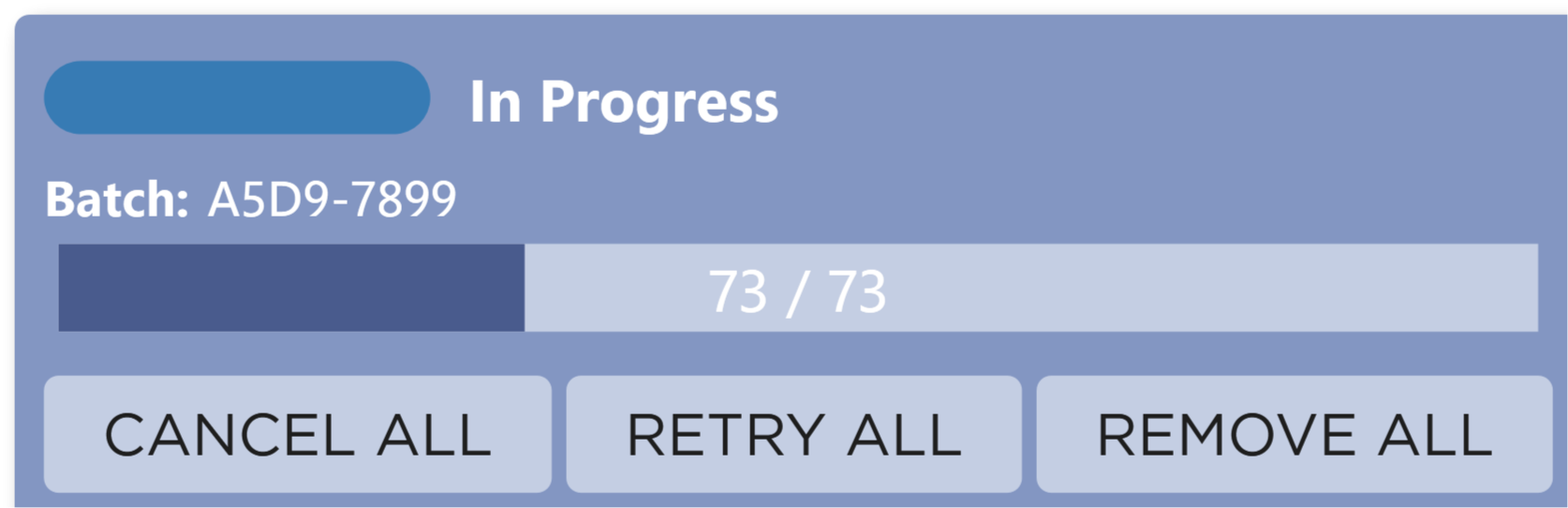
When exporting studies from the Batch Export screen or using the Send Unsent function, Export Jobs are grouped into Batches.
Jobs are visually grouped by their Batch Id on the DICOM Queue screen.
Each Batch contains the following information:
- Batch Id
- Progress Indicator (indicates the number of images sent out of the total number of images in the batch)
- Status (Overall status of the batch based on the status of individual jobs)
Actions
- Cancel All: Cancels all jobs in the batch that are in progress or pending. This button is only enabled when there are jobs that can be cancelled (i.e., in progress or pending).
- Retry All: Retries all failed or cancelled jobs in the batch. This button is only enabled when there are jobs that can be retried (i.e., failed or cancelled).
- Remove All: Removes all jobs in the batch that are completed, failed, or cancelled. This button is only enabled when there are jobs that can be removed (i.e., completed, failed, or cancelled).
Status Indicators
The following status indicators are used to represent the state of each Export Job and Batch:
| Image | Status | Description |
|---|---|---|
 | Pending | The job is waiting to be sent. |
 | In Progress | The job is currently being sent. |
 | Completed | The job was sent successfully. |
 | Failed | The job failed to send. |
 | Cancelled | The job was cancelled by the user. |
Actions
- Remove Completed: Removes all completed jobs from the queue.
- Remove Failed: Removes all failed jobs from the queue.
- Remove Cancelled: Removes all cancelled jobs from the queue.
- Remove Non-Active: Removes all jobs that are not currently in progress or pending (i.e., completed, failed, or cancelled).
Exit
To return to the previous screen, press the Back button in the top left corner of the screen.