Worklist
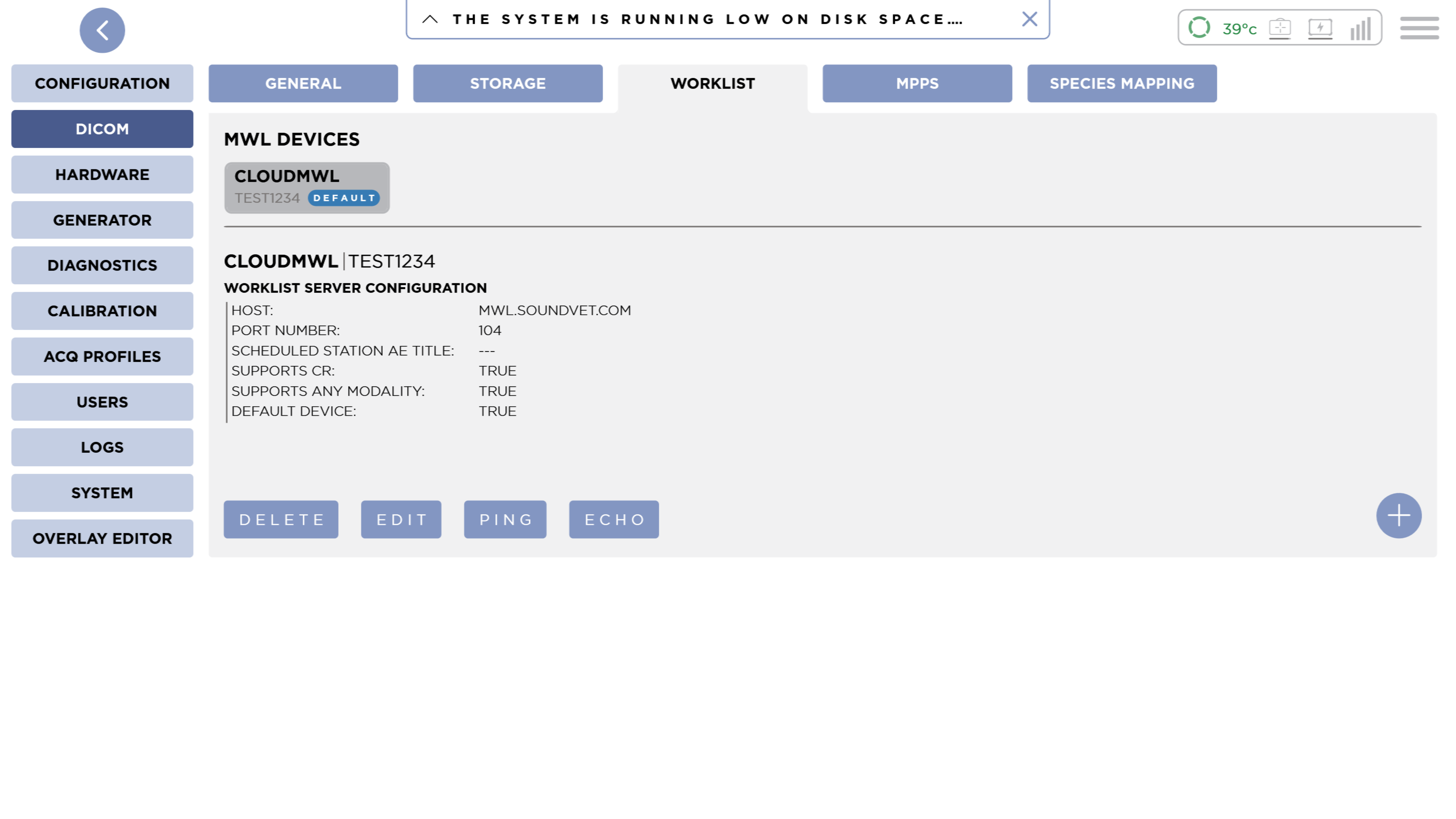
In order to Search for Worklist Items, you will need to configure a Worklist Device.
This is where you can configure DICOM Worklist Devices. The current list of configured devices is shown at the top. Selecting a device will show you its details.
Default Device
The Default Device will be used when Searching for worklist items. In the list of devices, the Default Device is shown with a blue Default badge.
Add a Device
Pressing the Add button will show the New Worklist Device dialog.
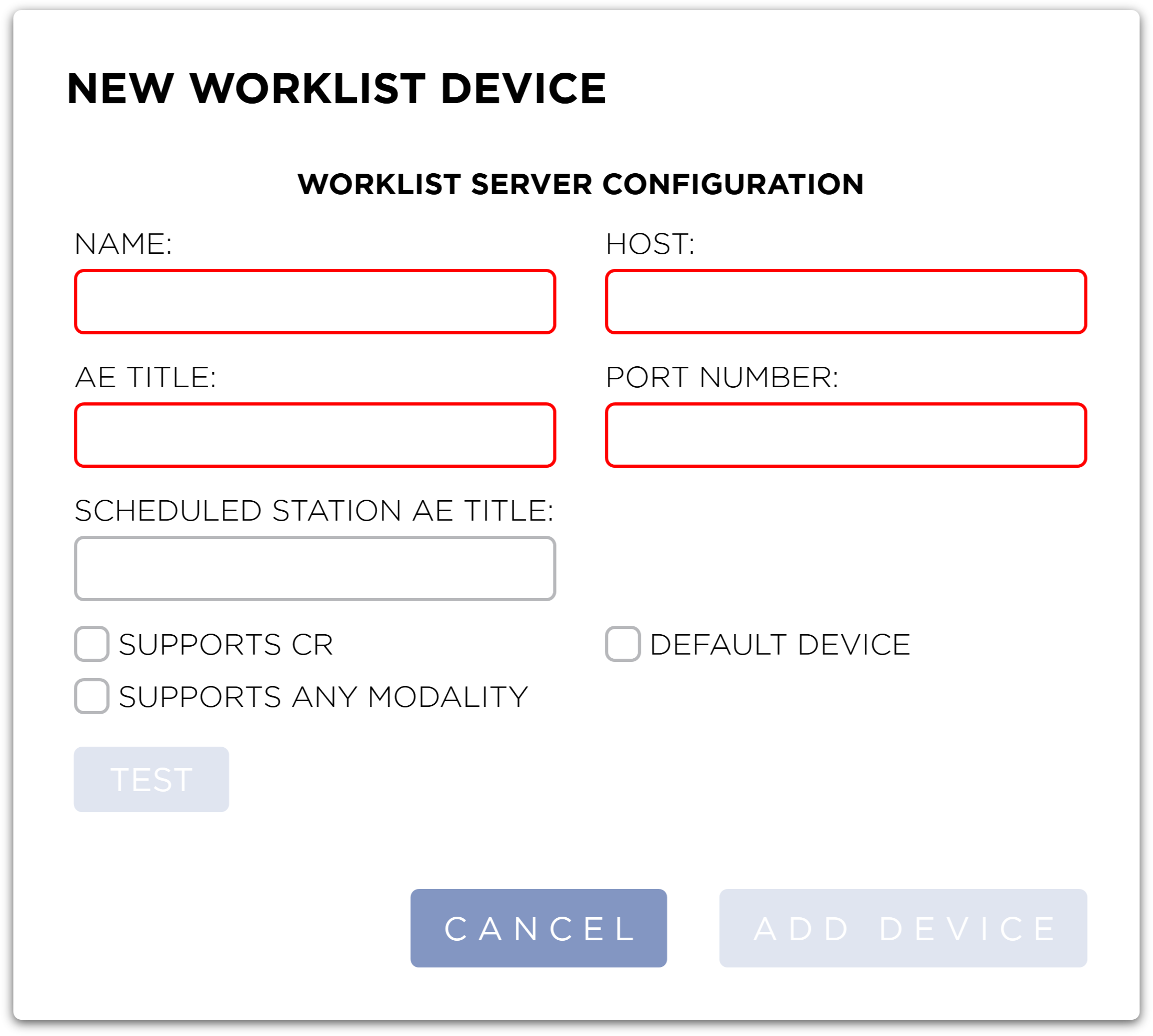
Enter the DICOM demographics for the device and press the Add Device button to save the device.
The Add Device button will only be active once all required fields have been entered.
Pressing the Cancel button will close the dialog and discard any changes.
Test
To test the connection prior to saving, press the Test button. This tests the connection by pinging the Host and attempting a DICOM C-ECHO. A spinner will appear and the button will be disabled while the test is in progress. When the test is complete, a green check mark will appear if the test was successful, if the test failed, an error message will be shown at the bottom of the dialog.
Required
Name
This is the display name for you're device. This is required.
Host
This is the host name or IP address for the device. This is required.
AE Title
This is the AE Title of the device. This is required.
Port Number
This is the Port number for the device. This is required.
Optional
Default Device
To set this as the Default Device, check the Default Device checkbox.
Scheduled Station AE Title
Enter in the Scheduled Station AE Title if your workflow or Worklist server require one.
Modality Options
By default SmartDR Fusion only queries Worklist servers for DX modality. You can include CR Modalities by selecting the Supports CR checkbox. To query all modalities, select the Supports any Modality.
If both Supports CR and Supports any Modality are selected, only Supports any Modality will apply and all modalities will be queried.
Edit a Device
With a device selected, press the Edit button. The Edit Worklist Device dialog will be shown.
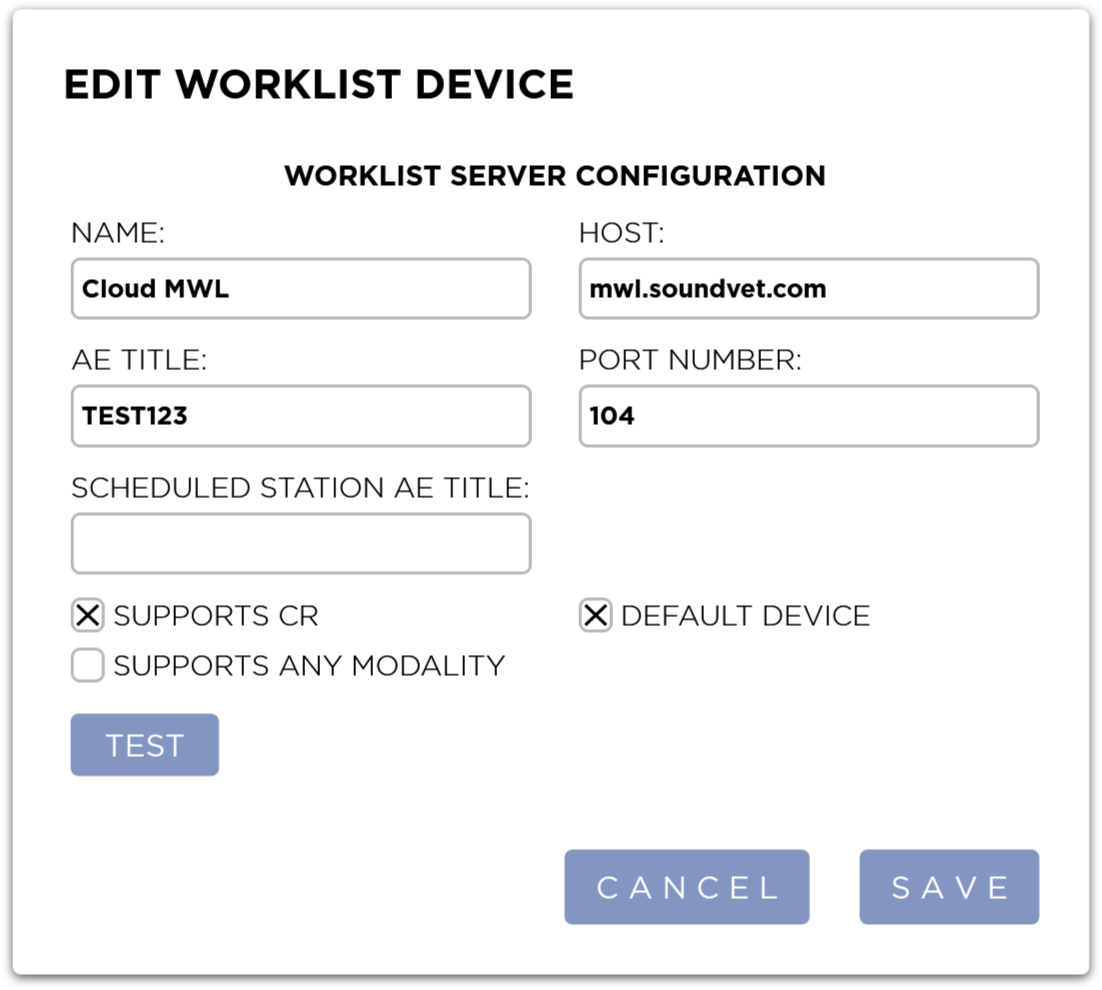
After making you're changes, pressing the Save button will save you're changes and close the dialog.
Pressing the Cancel button will discard you're changes and close the dialog.
The Test button is also available in the Edit dialog to test the connection prior to saving changes.
Delete a Device
To delete a Device, select the device you wish to delete from the list and press the Delete button. You will be shown a confirmation dialog.
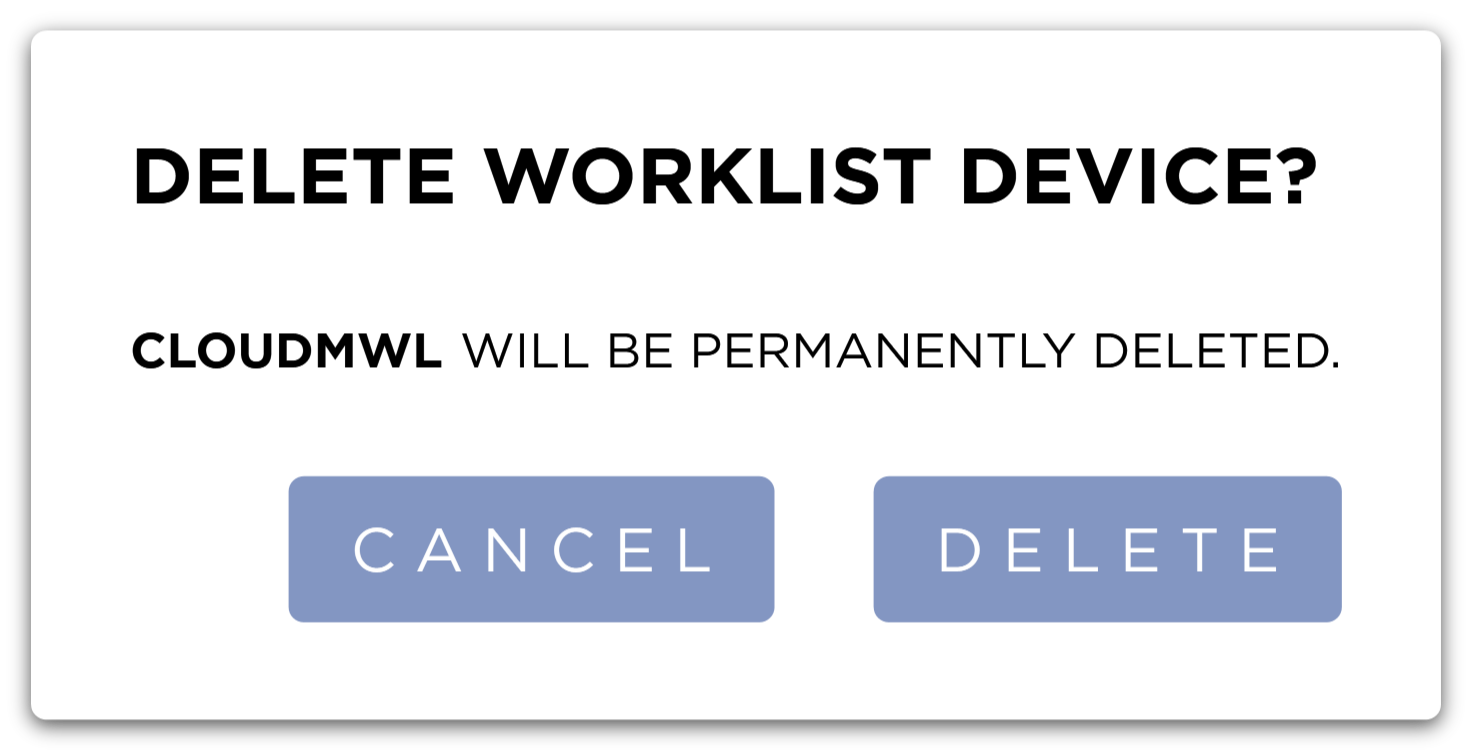
Pressing the Delete button will Delete the device from the system. Pressing the Cancel button will close the dialog.
Ping
To verify IP connectivity with the Device, select the device from the list and press the Ping button. The results will be displayed in a dialog. Press the Close button to dismiss the dialog.

Echo
To verify DICOM connectivity with the Device, select the device from the list and press the Echo button. The results will be displayed in a dialog. Press the Close button to dismiss the dialog.
